Most event leads never make it past the follow-up email. Cvent’s 2025 research found that nearly 80% of B2B marketers call events their most valuable channel, and yet almost two-thirds still can’t attribute a single dollar of pipeline back to them. That gap isn’t a marketing problem. It’s a tooling problem.
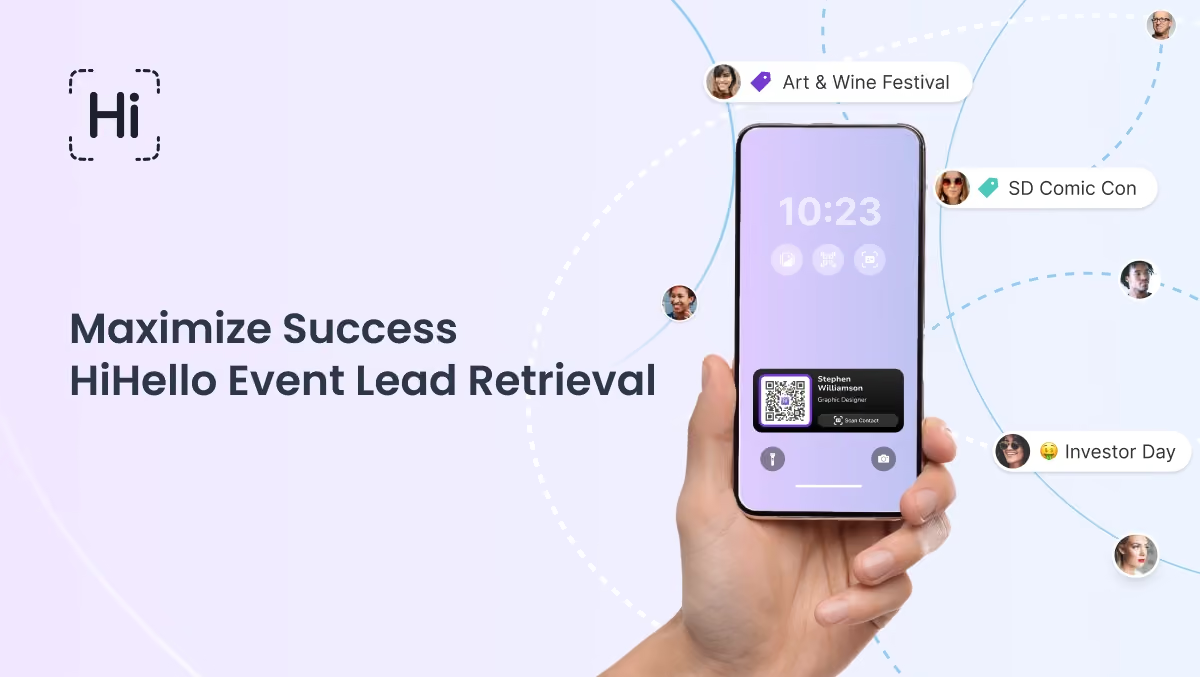
HiHello’s Event Lead Retrieval closes it. Every scan, badge import, and QR exchange gets tagged to the event it came from, synced to the CRM your team already uses, and turned into a report you can hand to your CFO instead of a shoebox of cards.
What event lead retrieval actually does
Event Lead Retrieval is HiHello’s system for capturing, tagging, and syncing contacts at conferences, trade shows, webinars, and internal events. It’s available on HiHello Professional, HiHello Business, and HiHello Enterprise plans.
Every contact, whether scanned from a badge, added manually, or shared digitally, is tagged to a specific event automatically. Whether you’re working the floor alone or coordinating a distributed field team, follow-up starts organized instead of starting from a pile of notes.
Why it beats the business card pile
88% of paper business cards get thrown away within a week. And 80% of event leads never get followed up on at all, according to Moots’ research on post-event follow-up. Every lead HiHello captures stays tagged, synced, and actionable long after the booth comes down, which is the difference between an event that generates pipeline and one that generates a drawer of cards.
Here’s what that looks like in practice:
- Capture every lead through QR sharing, business card scans, badge imports, and manual entry
- Auto-tag and organize contacts by event, with no manual sorting
- Sync leads to your CRM or export them on demand, closing the speed-to-lead gap that costs reps real pipeline
- Monitor performance in real time with individual and team dashboards
- Get built-in reminders and reports for post-event follow-up
How to run an event with HiHello
Whether you’re attending a local meetup or coordinating a major tradeshow campaign, HiHello equips you with tools that save time, eliminate admin work, and help you build better relationships.
1. Create the event in seconds
Add a name, time, location, and duration. HiHello auto-tags every new contact made during that window, so nothing needs manual sorting later.

2. Share instantly from your lock screen
iOS users get the Live Activity widget, which puts your digital business card on the lock screen automatically during an event. That means sharing your details without unlocking your phone.

3. Scan Paper Cards and Badges
HiHello’s universal scanner turns paper cards and conference badges into clean digital contacts. Details extract instantly and tag to the correct event.

4. Let every contact auto-tag itself
Scanned, manually entered, or exchanged by QR, every new contact links to your event the moment it’s captured.
5. Get nudged before you forget to follow up
HiHello sends prompts before and after events, so a lead never goes cold because someone forgot to check the dashboard.

6. Watch performance in real time
See how many contacts you or your team captured, how cards were shared, and where the strongest interactions happened. Analytics are built into the dashboard for both live monitoring and post-event review.
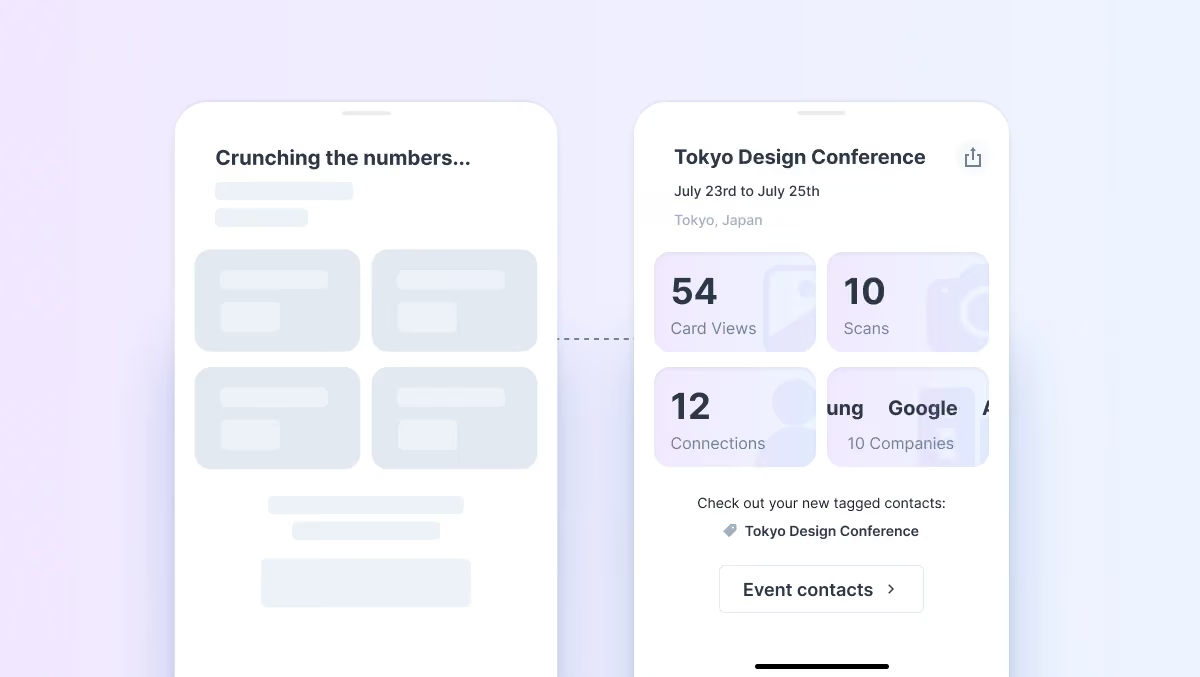
7. Sync to your CRM automatically
HiHello team plans connect to Salesforce, HubSpot, Dynamics 365, and more, so new contacts flow into the system your sales team already trusts, with no manual export.
Built to flex from a single booth to a national field team
Individuals can set up an event, scan contacts, and organize follow-up in minutes. Admins and team leads can manage cards, monitor activity, and evaluate performance across regions or departments from the same system. Either way:
- Create branded, event-specific digital cards
- Equip the team to share from a lock screen or the mobile app
- Auto-tag every new contact so leads stay clean and actionable
- Sync and export data with no manual cleanup
- Track connections and outcomes from one dashboard
Turn the event into a number your CFO believes
Every event is a controlled experiment in whether your brand experience converts. The more of them you tag, sync, and measure, the more of your marketing budget you can actually defend. Run your own numbers with HiHello’s ROI Calculator, or schedule a demo to see event lead retrieval in action.
Want to see the numbers behind your own event calendar? Read The Channel Missing from Your Marketing Dashboard for a broader look at where attribution gaps show up across the rest of your stack.
Frequently asked questions
What types of events can I use HiHello for?
Conferences, trade shows, webinars, in-person meetings, sales campaigns, and internal activations all work the same way: create the event, and HiHello tags everything to it automatically.
How do I measure event ROI with HiHello?
Every contact captured is tagged to its event, so you can pull card views, scans, saves, and CRM-synced leads for a single conference or a full quarter of events, the CFO-ready number Cvent’s 2025 research says most marketers still can’t produce.
Does HiHello integrate with our CRM or marketing tools?
Yes. HiHello syncs with Salesforce, HubSpot, Dynamics 365, Marketo, Google Contacts, and others, so leads route into your existing pipeline without a manual export.
What happens if there’s no internet at the event?
HiHello switches to offline mode automatically, so your team keeps sharing and capturing contacts without disruption, then syncs everything once you’re back online.
How is this different from other lead retrieval tools?
Most lead retrieval tools stop at the scan. HiHello combines the capture, the digital business card, the CRM sync, and the analytics in one system, so the data doesn’t die in a spreadsheet after the show ends.
What happens to leads after the event ends?
Every contact stays tagged to its event in the dashboard. Export it, sync it, or pull a report weeks later, the attribution doesn’t disappear when the booth comes down.